Section 2: Error Handling & Debugging
Your code will break. It’s not a matter of if, but when. Maybe someone sends you a CSV with missing data, or your internet connection drops while downloading files. Instead of your entire analysis crashing, error handling lets your code gracefully handle these situations and keep running. It’s the difference between a professional data scientist and someone who panics when things go wrong.
Introduction
Errors are inevitable in programming. Learning to handle them gracefully and debug effectively is important for building reliable applications. In data science, proper error handling ensures your analysis continues even when data is missing or malformed.
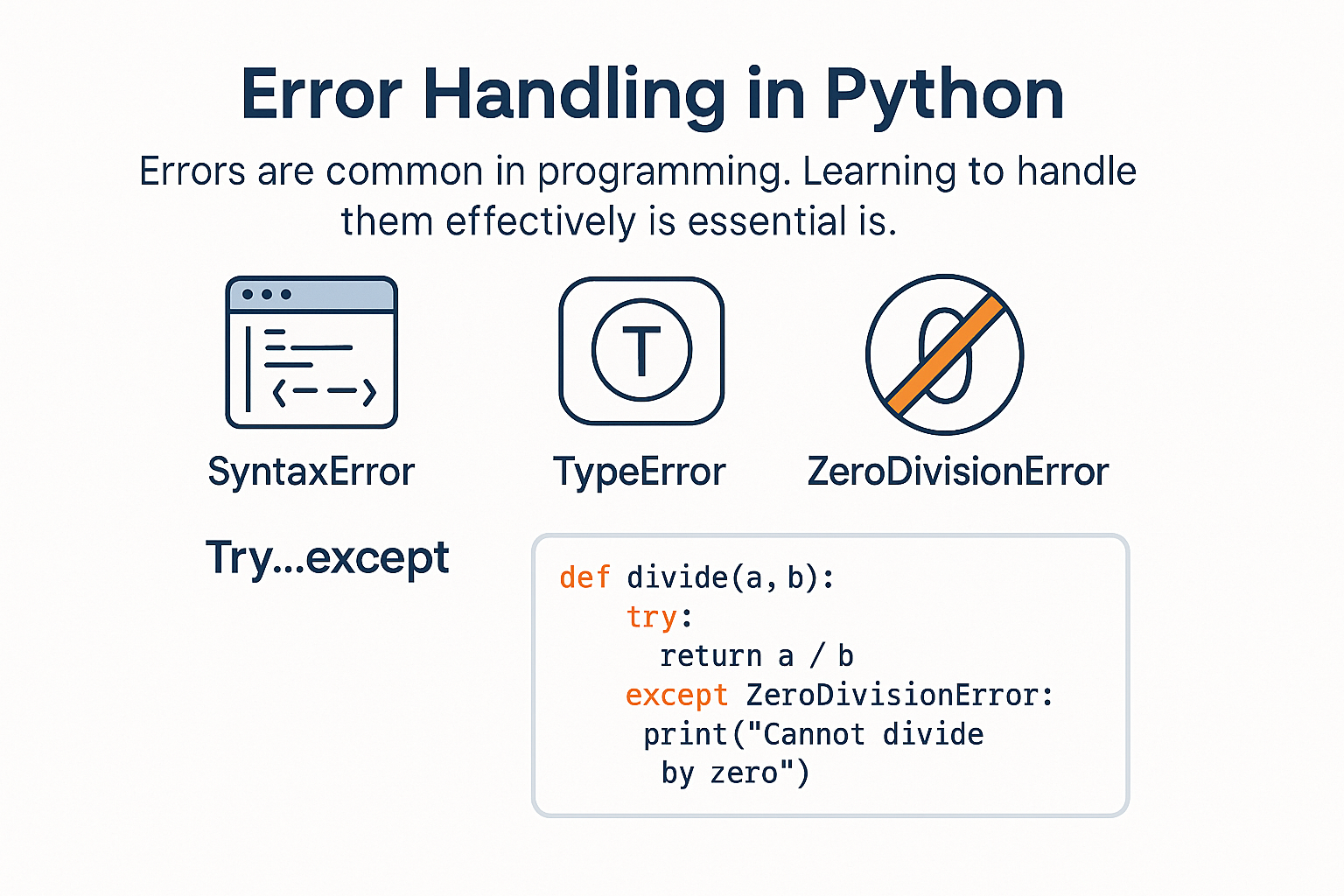
Understanding Python Errors
Python errors come in different types, each indicating a specific problem.
Common Error Types
# SyntaxError - Invalid Python syntax
# print("Hello World"  # Missing closing parenthesis

# NameError - Variable not defined
# print(undefined_variable)  # Variable doesn't exist

# TypeError - Wrong data type operation
# result = "5" + 3  # Can't add string and integer

# ValueError - Wrong value for valid operation
# int("hello")  # Can't convert "hello" to integer

# IndexError - List index out of range
# numbers = [1, 2, 3]
# print(numbers[5])  # Index 5 doesn't exist

# KeyError - Dictionary key doesn't exist
# data = {"name": "Alice"}
# print(data["age"])  # Key "age" doesn't exist

# ZeroDivisionError - Division by zero
# result = 10 / 0  # Can't divide by zero
Reading Error Messages
# Example error and how to read it
def divide_numbers(a, b):
    return a / b

# This will cause an error
result = divide_numbers(10, 0)
Error Output:
ZeroDivisionError: division by zero
    File "script.py", line 2, in divide_numbers
        return a / b
    File "script.py", line 5, in <module>
        result = divide_numbers(10, 0)
How to read it:
- Error type:
ZeroDivisionError - Error message:
division by zero - Location: Line 2 in
divide_numbersfunction - Call stack: Called from line 5 in main script
Exception Handling with Try-Except
Try-except blocks let you handle errors gracefully instead of crashing your program.
Basic Try-Except
# Basic error handling
def safe_divide(a, b):
    try:
        result = a / b
        return result
    except ZeroDivisionError:
        return "Error: Cannot divide by zero"

# Test the function
print(safe_divide(10, 2))    # 5.0
print(safe_divide(10, 0))    # Error: Cannot divide by zero
Multiple Exception Types
def process_user_input(user_input):
    try:
        # Try to convert to integer
        number = int(user_input)
        result = 100 / number
        return f"Result: {result}"

    except ValueError:
        return "Error: Please enter a valid number"

    except ZeroDivisionError:
        return "Error: Cannot divide by zero"

    except Exception as e:
        return f"Unexpected error: {e}"

# Test different inputs
print(process_user_input("10"))     # Result: 10.0
print(process_user_input("0"))      # Error: Cannot divide by zero
print(process_user_input("abc"))    # Error: Please enter a valid number
Try-Except-Else-Finally
def process_file(filename):
    file = None
    try:
        file = open(filename, 'r')
        content = file.read()
        print("File read successfully")

    except FileNotFoundError:
        print(f"Error: File '{filename}' not found")

    except PermissionError:
        print(f"Error: Permission denied for '{filename}'")

    else:
        # This runs only if no exception occurred
        print(f"File contains {len(content)} characters")

    finally:
        # This always runs, even if an exception occurred
        if file:
            file.close()
            print("File closed")

# Test the function
process_file("existing_file.txt")
process_file("nonexistent_file.txt")
Data Science Error Handling
Error handling is important in data science for dealing with messy data and unexpected situations.
Handling Missing Data
def analyze_sales_data(data):
    """Analyze sales data with error handling"""
    try:
        # Check if data is empty
        if not data:
            raise ValueError("No data provided")

        # Calculate statistics
        total_sales = sum(data)
        average_sales = total_sales / len(data)
        max_sales = max(data)
        min_sales = min(data)

        return {
            'total': total_sales,
            'average': average_sales,
            'max': max_sales,
            'min': min_sales,
            'count': len(data)
        }

    except TypeError as e:
        return f"Error: Invalid data type - {e}"

    except ValueError as e:
        return f"Error: {e}"

    except Exception as e:
        return f"Unexpected error: {e}"

# Test with different data types
print(analyze_sales_data([100, 200, 300, 400, 500]))
print(analyze_sales_data([]))
print(analyze_sales_data(["100", "200", "300"]))
print(analyze_sales_data(None))
Safe Data Processing
def process_customer_data(customers):
    """Process customer data safely"""
    processed_customers = []
    errors = []

    for i, customer in enumerate(customers):
        try:
            # Validate required fields
            if not isinstance(customer, dict):
                raise ValueError(f"Customer {i} is not a dictionary")

            if 'name' not in customer:
                raise ValueError(f"Customer {i} missing 'name' field")

            if 'spending' not in customer:
                raise ValueError(f"Customer {i} missing 'spending' field")

            # Process the customer
            processed_customer = {
                'name': customer['name'],
                'spending': float(customer['spending']),
                'region': customer.get('region', 'Unknown'),
                'is_vip': customer.get('spending', 0) > 1000
            }

            processed_customers.append(processed_customer)

        except (ValueError, TypeError) as e:
            errors.append(f"Customer {i}: {e}")
            continue

    return processed_customers, errors

# Test with mixed data
customers = [
    {"name": "Alice", "spending": "1500", "region": "North"},
    {"name": "Bob", "spending": 800, "region": "South"},
    {"name": "Carol"},  # Missing spending
    {"name": "David", "spending": "invalid"},  # Invalid spending
    "Not a dictionary"  # Wrong type
]

processed, errors = process_customer_data(customers)
print("Processed customers:", processed)
print("Errors:", errors)
Debugging Techniques
Debugging is the process of finding and fixing errors in your code.
Print Debugging
def calculate_average(numbers):
    print(f"Input: {numbers}")  # Debug print
    print(f"Type: {type(numbers)}")  # Debug print

    if not numbers:
        print("Empty list detected")  # Debug print
        return 0

    total = sum(numbers)
    print(f"Total: {total}")  # Debug print

    average = total / len(numbers)
    print(f"Average: {average}")  # Debug print

    return average

# Test the function
result = calculate_average([1, 2, 3, 4, 5])
print(f"Final result: {result}")
Using Assertions
def calculate_discount(price, discount_percent):
    # Assertions help catch errors early
    assert isinstance(price, (int, float)), "Price must be a number"
    assert price >= 0, "Price cannot be negative"
    assert 0 <= discount_percent <= 100, "Discount must be between 0 and 100"

    discount_amount = price * (discount_percent / 100)
    final_price = price - discount_amount

    return final_price

# Test with valid input
print(calculate_discount(100, 20))  # 80.0

# Test with invalid input (will raise AssertionError)
# print(calculate_discount(-50, 20))  # AssertionError: Price cannot be negative
Logging for Debugging
import logging

# Set up logging
logging.basicConfig(
    level=logging.DEBUG,
    format='%(asctime)s - %(levelname)s - %(message)s'
)

def analyze_data(data):
    logging.info(f"Starting analysis with {len(data)} records")

    try:
        # Process data
        total = sum(data)
        average = total / len(data)

        logging.info(f"Analysis complete. Total: {total}, Average: {average}")
        return {'total': total, 'average': average}

    except Exception as e:
        logging.error(f"Error in analysis: {e}")
        return None

# Test the function
data = [1, 2, 3, 4, 5]
result = analyze_data(data)
print(result)
Advanced Error Handling
Custom Exceptions
class DataValidationError(Exception):
    """Custom exception for data validation errors"""
    pass

class InsufficientDataError(Exception):
    """Custom exception for insufficient data"""
    pass

def validate_sales_data(data, min_records=5):
    """Validate sales data with custom exceptions"""
    if not data:
        raise DataValidationError("No data provided")

    if len(data) < min_records:
        raise InsufficientDataError(f"Need at least {min_records} records, got {len(data)}")

    for i, value in enumerate(data):
        if not isinstance(value, (int, float)):
            raise DataValidationError(f"Invalid data type at index {i}: {type(value)}")

        if value < 0:
            raise DataValidationError(f"Negative value at index {i}: {value}")

    return True

# Test custom exceptions
try:
    validate_sales_data([100, 200, 300, 400, 500])
    print("Data validation passed")
except DataValidationError as e:
    print(f"Data validation error: {e}")
except InsufficientDataError as e:
    print(f"Insufficient data error: {e}")
Context Managers for Error Handling
class DataProcessor:
    """Context manager for data processing"""
    def __init__(self, data_source):
        self.data_source = data_source
        self.data = None

    def __enter__(self):
        print(f"Opening data source: {self.data_source}")
        # Simulate opening data source
        self.data = [1, 2, 3, 4, 5]
        return self

    def __exit__(self, exc_type, exc_val, exc_tb):
        print(f"Closing data source: {self.data_source}")
        if exc_type:
            print(f"Error occurred: {exc_val}")
        return False  # Don't suppress exceptions

    def process(self):
        if not self.data:
            raise ValueError("No data loaded")
        return sum(self.data)

# Use context manager
try:
    with DataProcessor("database") as processor:
        result = processor.process()
        print(f"Processing result: {result}")
except Exception as e:
    print(f"Error: {e}")
Practice Exercise
Create a robust data analysis system with comprehensive error handling:
import logging
from datetime import datetime

# Set up logging
logging.basicConfig(
    level=logging.INFO,
    format='%(asctime)s - %(levelname)s - %(message)s'
)

class DataAnalysisError(Exception):
    """Custom exception for data analysis errors"""
    pass

class RobustDataAnalyzer:
    """Data analyzer with comprehensive error handling"""

    def __init__(self, data_source):
        self.data_source = data_source
        self.data = None
        self.analysis_results = {}
        self.errors = []

    def load_data(self, data):
        """Load and validate data"""
        try:
            logging.info(f"Loading data from {self.data_source}")

            if not data:
                raise DataAnalysisError("No data provided")

            if not isinstance(data, list):
                raise DataAnalysisError("Data must be a list")

            # Validate each data point
            validated_data = []
            for i, value in enumerate(data):
                try:
                    numeric_value = float(value)
                    if numeric_value < 0:
                        logging.warning(f"Negative value at index {i}: {value}")
                    validated_data.append(numeric_value)
                except (ValueError, TypeError) as e:
                    error_msg = f"Invalid value at index {i}: {value} - {e}"
                    logging.error(error_msg)
                    self.errors.append(error_msg)

            if len(validated_data) < 2:
                raise DataAnalysisError("Need at least 2 valid data points")

            self.data = validated_data
            logging.info(f"Successfully loaded {len(self.data)} data points")
            return True

        except DataAnalysisError as e:
            logging.error(f"Data loading failed: {e}")
            return False
        except Exception as e:
            logging.error(f"Unexpected error in data loading: {e}")
            return False

    def calculate_statistics(self):
        """Calculate basic statistics with error handling"""
        try:
            if not self.data:
                raise DataAnalysisError("No data loaded")

            logging.info("Calculating statistics")

            self.analysis_results = {
                'count': len(self.data),
                'sum': sum(self.data),
                'mean': sum(self.data) / len(self.data),
                'min': min(self.data),
                'max': max(self.data),
                'range': max(self.data) - min(self.data)
            }

            logging.info("Statistics calculated successfully")
            return self.analysis_results

        except DataAnalysisError as e:
            logging.error(f"Statistics calculation failed: {e}")
            return None
        except Exception as e:
            logging.error(f"Unexpected error in statistics: {e}")
            return None

    def detect_outliers(self, threshold=2):
        """Detect outliers using standard deviation method"""
        try:
            if not self.data or len(self.data) < 3:
                logging.warning("Not enough data for outlier detection")
                return []

            mean = self.analysis_results.get('mean', sum(self.data) / len(self.data))
            variance = sum((x - mean) ** 2 for x in self.data) / len(self.data)
            std_dev = variance ** 0.5

            outliers = []
            for i, value in enumerate(self.data):
                z_score = abs(value - mean) / std_dev if std_dev > 0 else 0
                if z_score > threshold:
                    outliers.append({
                        'index': i,
                        'value': value,
                        'z_score': z_score
                    })

            logging.info(f"Found {len(outliers)} outliers")
            return outliers

        except Exception as e:
            logging.error(f"Error in outlier detection: {e}")
            return []

    def generate_report(self):
        """Generate comprehensive analysis report"""
        try:
            if not self.analysis_results:
                return "No analysis results available"

            report = f"""
Data Analysis Report
{'=' * 50}
Data Source: {self.data_source}
Analysis Date: {datetime.now().strftime('%Y-%m-%d %H:%M:%S')}

Basic Statistics:
- Count: {self.analysis_results['count']}
- Sum: {self.analysis_results['sum']:,.2f}
- Mean: {self.analysis_results['mean']:,.2f}
- Min: {self.analysis_results['min']:,.2f}
- Max: {self.analysis_results['max']:,.2f}
- Range: {self.analysis_results['range']:,.2f}

Outliers: {len(self.detect_outliers())} found

Errors: {len(self.errors)} warnings/errors
"""

            if self.errors:
                report += "\nErrors/Warnings:\n"
                for error in self.errors:
                    report += f"- {error}\n"

            return report

        except Exception as e:
            logging.error(f"Error generating report: {e}")
            return f"Error generating report: {e}"

# Test the robust analyzer
test_data = [100, 200, 300, 400, 500, 600, 700, 800, 900, 1000, "invalid", -50, 1500]

analyzer = RobustDataAnalyzer("test_database")
if analyzer.load_data(test_data):
    analyzer.calculate_statistics()
    print(analyzer.generate_report())
else:
    print("Failed to load data")
Assets
Summary
Error handling and debugging are important for building reliable applications. Key concepts include try-except blocks, custom exceptions, logging, and debugging techniques. These skills help you write robust code that handles unexpected situations gracefully.
© 2025 Prof. Tim Frenzel. All rights reserved. | Version 1.0.5